Gaming Accessories That Actually Improve Play
From pro-grade controllers to low-latency headsets and ergonomic chairs, these proven accessories measurably boost comfort, precision, and wins.
Precision Mice and Sensor Control — In the world of computers and consumer electronics, few upgrades deliver as immediate a gain as a well-tuned gaming mouse. Precision begins with sensor accuracy and consistent CPI scaling, so each centimeter of movement on your pad translates predictably on-screen. A high, stable polling rate minimizes input delay, while low lift-off distance keeps your aim steady when you reset. Comfort also matters: select a shape that fits your grip style, whether palm, claw, or fingertip, and pay attention to weight distribution so the mouse tracks naturally without overcorrection. Quality PTFE feet ensure smooth glide, and the right surface pairing preserves control without stickiness. For corded models, a flexible cable or bungee reduces drag; for wireless, choose solutions that emphasize low-latency 2.4 GHz over standard Bluetooth, which often adds delay. Finish with sensible button placement and crisp switches, so micro-adjustments and rapid clicks feel effortless, consistent, and repeatable under pressure.
Mechanical Keyboards and Speed You Can Feel — A responsive gaming keyboard converts intention into execution with fewer missed inputs. The foundation is the switch type: lighter actuation force and short pre-travel can speed up repeated commands, while tactile feedback helps confirm presses without bottoming out. Stable stabilizers and well-fitted keycaps cut wobble for cleaner strafes and abilities, and PBT keycaps resist shine while retaining texture. Advanced firmware features such as NKRO and anti-ghosting prevent dropped inputs during complex combos, while macro layers let you bind multi-step actions to a single key. If you like to experiment, hot-swappable sockets enable easy switch testing without soldering. Ergonomics matter, too: a comfortable wrist rest, a sensible typing angle, and controlled sound dampening reduce fatigue during long sessions. For stealth and speed, explore linear switches; for confirmation, try tactile; for precision typing with audible cues, clicky styles can help—just consider noise. The best board supports your habits, not the other way around.
Headsets and Spatial Awareness — High-fidelity audio does more than entertain; it improves survival and decision-making. A good gaming headset delivers clear positional cues, letting you separate footsteps from environmental noise with believable spatial imaging. Understand the trade-offs: open-back designs breathe and stage widely, improving directionality at the cost of isolation, while closed-back headsets isolate better and emphasize impact. Seek balanced frequency response where mids are articulate for voices, highs are present without harshness, and lows are controlled so rumbles don't mask details. A clean microphone with adjustable sidetone keeps your callouts assertive without shouting, and simple in-line controls or onboard dials save time mid-match. For reliability, wired connections minimize latency and battery concerns; if you prefer freedom, pick low-latency wireless with stable range. Fine-tune with EQ to lift footstep bands and tame boomy rooms. Finally, prioritize comfort—lightweight frames, soft clamping, and breathable pads prevent hot spots that distract when the match tightens.
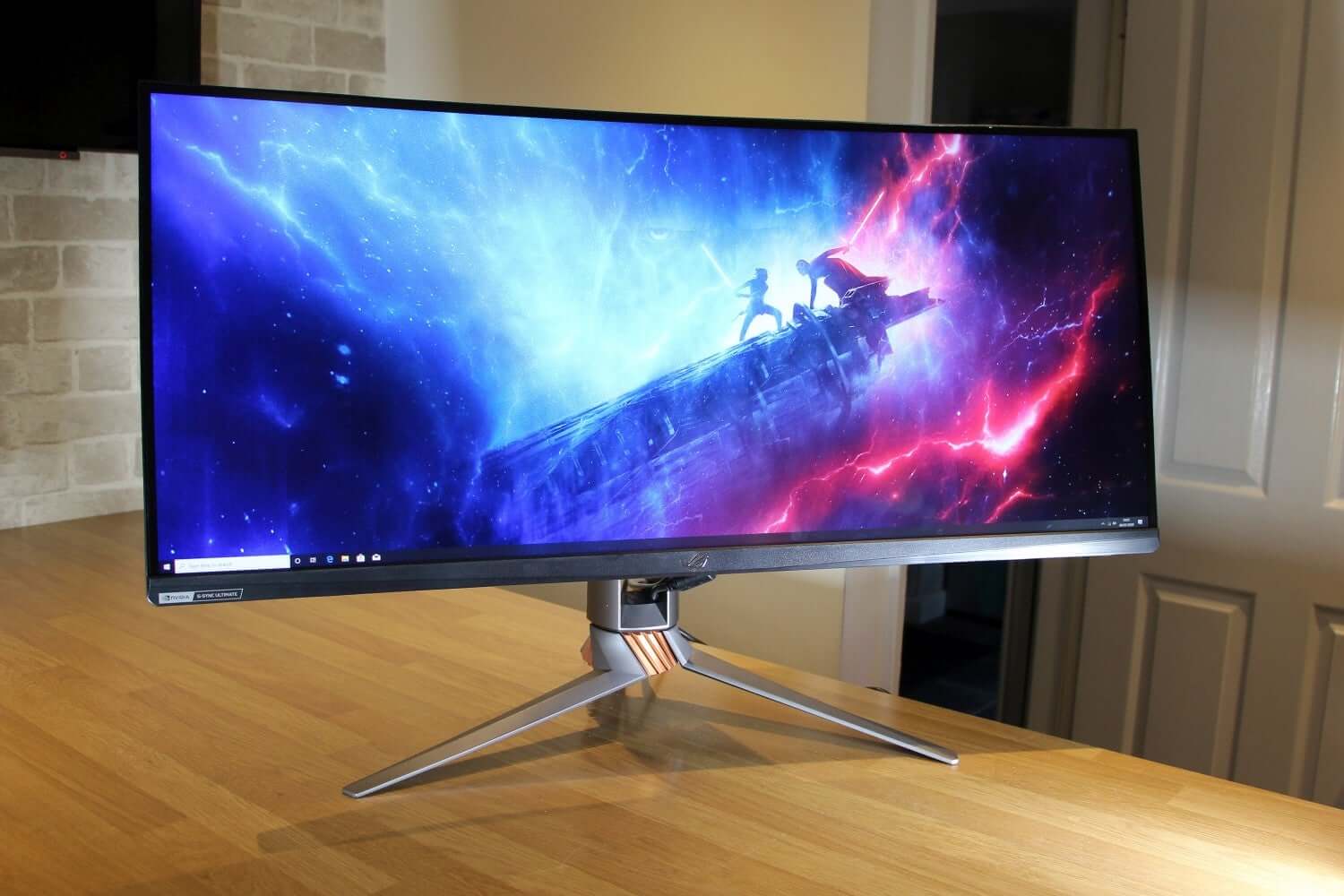
High-Refresh Displays and Motion Clarity — A fast, well-calibrated display makes aiming easier and motion easier to read. Higher refresh rates present more frames each second, reducing blur and improving the fidelity of your tracking. Low response time limits smearing, while tuned overdrive prevents inverse ghosting that can obscure targets. Variable refresh rate technology matches the screen to your frame output to cut tearing and stutter, which steadies perceived input timing. Consider input lag holistically: game mode settings, clean signal paths, and avoiding unnecessary post-processing protect responsiveness. Visual clarity also matters for spotting opponents and reading UI—solid contrast, accurate color, and sensible gamma help differentiate dark corners from deep black smears. Choose a size and viewing distance that fill your field of view without forcing excessive head movement; ultrawide and curved options can expand peripheral awareness in supported titles. For those chasing ultimate sharpness, motion strobing can further refine clarity when used appropriately with consistent frame delivery.
Pro Controllers and Custom Inputs — Not all gains come from speed; many come from keeping thumbs on the sticks. Controllers with back paddles let you jump, slide, or reload without lifting your right thumb, preserving aim. Adjustable trigger stops shorten travel for rapid fire, while tunable stick tension and configurable dead zones refine micro-aim and reduce oversteer. Look for Hall-effect sensors to minimize drift over time and maintain consistent center points. Smart button remapping and profile switching let you optimize for different games or roles, and gyro aiming can add surgical precision when combined with stick input. Ergonomics count: textured grips, varied thumbstick heights, and optional domed tops improve control and comfort during long sets. Wired play removes charging concerns and can reduce latency; premium wireless modes balance freedom and responsiveness. The best controller becomes an extension of your intent, translating nuanced hand movement into confident, repeatable in-game actions.
Mouse Pads, Bungees, and Surface Science — The right desk surface refines how your mouse actually feels. Cloth pads emphasize control, offering gentle resistance that steadies micro-corrections, while hard or hybrid pads emphasize speed for effortless flicks. Evaluate static vs kinetic friction: low static friction makes it easy to start movement; predictable kinetic friction keeps your glide consistent once moving. Factors like humidity, pad thickness, edge stitching, and weave density all shape the sensation under your mouse. Pair the pad with quality PTFE skates or glass-feet variants to tune glide, and keep surfaces clean to maintain predictability. If you use a cord, a mouse bungee lifts and routes the cable to remove drag and snag; it often feels like an instant performance boost without going wireless. Full desk mats can stabilize your keyboard and reduce vibration, though some prefer a compact pad for targeted control. The end goal is repeatable motion, reliable stop power, and minimal fatigue.
Network and Power Reliability — Smooth online play hinges on consistent delivery as much as raw speed. A wired Ethernet connection typically reduces latency, packet loss, and jitter compared to congested wireless networks. If wireless is necessary, optimize placement, use less crowded channels, and separate gaming devices from heavy streaming traffic. Routers that support quality of service (QoS) can prioritize game packets and voice chat, helping preserve responsiveness during household downloads. Address bufferbloat by tuning queues, and consider dedicated access points near your setup for cleaner signals. Beyond networking, safeguard uptime with a UPS to ride out brief power dips and a quality surge protector to shield sensitive components. Laptops and consoles can benefit from USB Ethernet adapters for stable wired play, while well-ventilated spaces or cooling stands prevent throttling during long sessions. Reliability is a performance stat: fewer disconnects, steadier pings, and protected hardware mean more focus on winning and less time troubleshooting.