Posture and Pain Relief: Ergonomic Tips for Desk Life
Beat desk-related aches with smart ergonomics: align your spine, optimize chair and screen height, take micro-breaks, and stretch to stay pain-free.
Neutral Posture, The Starting Line
A comfortable desk day begins with a neutral spine. Imagine a gentle S-curve: head balanced over shoulders, shoulders resting over hips, and hips stacked above the seat. Your ears, shoulders, and hips should line up, avoiding a forward head or rounded upper back. Let your shoulder blades settle down and back, and keep your ribcage softly stacked over your pelvis. Hinge from the hips rather than collapsing through the mid-back. Keep both feet grounded to cue even weight distribution, and lightly engage your core to support the lower back without bracing. Hands and forearms should float without excessive tension, and the jaw stays relaxed to reduce neck strain. Think of posture as dynamic, not frozen; make tiny micro-adjustments every few minutes. Use your breath as a guide—if you cannot take a deep, easy inhale, you are likely slumping or bracing. Consistently returning to this baseline alignment reduces cumulative load on joints, nerves, and supporting tissues.
Chair Fit and Support
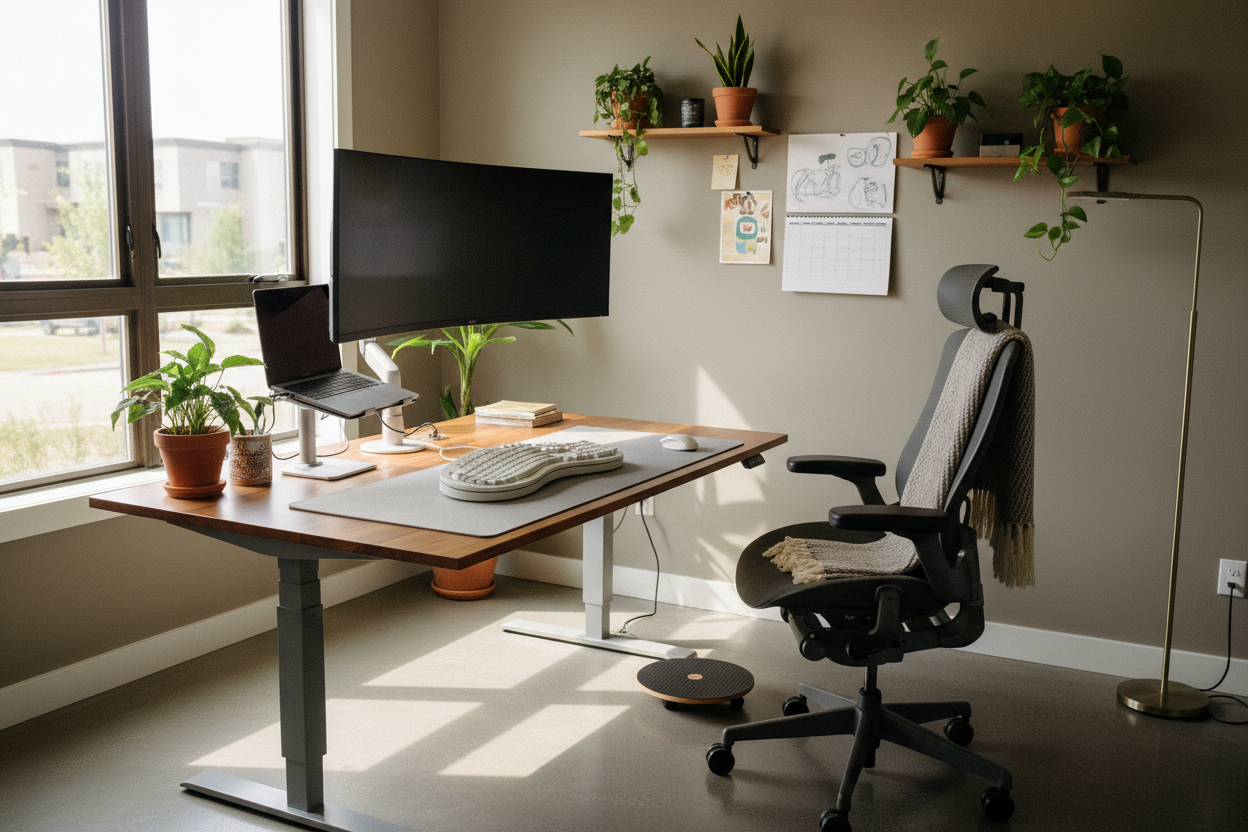
Your chair is the anchor of desk comfort, so tailor it to your body. Set seat height so feet are flat and knees are near hip level or slightly lower, promoting open hip angles and smooth circulation. Slide the seat pan so there is a two-to-three finger gap behind the knees, preventing pressure on the calves. Adjust lumbar support to nestle into the natural curve of your lower back—too high pushes the ribs forward, too low leaves the spine unsupported. Soften the posture with a small recline—around a gentle open angle—to offload the discs without slouching. Position armrests to lightly support forearms without hiking the shoulders; they should meet your arms, not chase them. Check for even pressure on the sit bones, and consider a footrest if feet dangle. Vary sitting styles—both-sit bones, slight recline, forward perch—to encourage dynamic sitting. The goal is stable support with freedom to move, not stiffness.
Desk, Keyboard, and Mouse
A well-set desk brings tools to you, not you to them. Aim for elbows by your sides with forearms roughly parallel to the floor, keeping shoulders relaxed and away from the ears. Place the keyboard close, with a slight negative tilt if available, so wrists stay neutral—straight, not bent up or down. Float the hands; avoid resting wrists on hard edges that compress tissue. Keep the mouse close to the keyboard in your primary reach zone, so your upper arm stays near your side. Use a light grip and small, precise movements to reduce forearm fatigue. Consider alternating mousing hands or exploring devices like a vertical mouse or trackball if you notice persistent strain. Arrange frequently used items—phone, notebook, stylus—within easy reach to prevent repeated twisting. Build efficient digital habits: shortcut keys, text expansions, and cursor speed tuned for control. All of this reduces micro-strain, helping you sustain accuracy and comfort throughout the day.
Screen Setup and Visual Comfort
Your monitor guides head position, so get it right. Center the screen directly in front of you, an arm's length away, and set the top of the display around eye level so your gaze naturally falls into the upper third. If you use dual screens, place your primary at center; if both are equal, angle them into a shallow V to reduce neck rotation. Minimize glare by positioning screens perpendicular to bright windows and using softer ambient lighting. Adjust brightness, contrast, and text size so you can read comfortably without squinting or leaning. Follow a simple visual break rhythm: every so often, look far away to relax the eye muscles, blink deliberately to counter dry eyes, and softly roll the shoulders while you do. Keep the neck long, not craned forward; if you find yourself jutting closer, the screen may be too far or too low. Thoughtful visual ergonomics reduce eye strain and protect neck alignment.
Microbreaks and Movement Snacks
Even perfect posture grows tired without motion. Schedule frequent microbreaks—brief, intentional pauses that refresh tissues and attention. Stand to reset hip flexors, then sit again. Practice movement snacks like ankle pumps, calf raises, shoulder rolls, and gentle neck rotations within a comfortable range. Interlace fingers and reach overhead to lengthen the sides, then open the chest with hands behind the back. Add seated spinal rotations: hands on knees, rotate gently, pause, and breathe. Sprinkle in a few glute squeezes to wake up the posterior chain. Shift between sitting and standing if you have a height-adjustable surface; standing is a posture, not a workout, so keep knees soft and weight balanced. Use breathing drills—slow nasal inhales, longer exhales—to downshift tension and reduce bracing. These short resets rehydrate tissues, restore circulation, and signal the nervous system to release unnecessary guarding, making the next work block more comfortable and focused.
Pain Signals and Smart Recovery
Your body speaks in whispers before it shouts. Respect early pain signals like tingling, numbness, and dull aches by adjusting your setup and taking a brief break. Swap tasks to vary demand: after intense typing, do light reading or a quick standing call. For sore areas, explore gentle self-massage with fingers or a small ball against a wall, staying within easy comfort. Alternate heat to relax tight muscles and cool to reduce irritation, depending on what provides relief. Support recovery with hydration, nutrient-dense meals, and consistent sleep routines that allow tissues to repair. At night, aim for neutral spinal alignment with pillows that keep the neck and hips level. If discomfort persists, spreads, or interferes with daily activities, consult a qualified health professional for assessment and guidance. Ergonomics is preventive, but recovery habits complete the loop—keeping you productive while protecting long-term joint, muscle, and nerve health.
Make Ergonomics a Habit
The best setup is the one you actually use consistently. Build sustainable habits by pairing cues with actions: after sending an email, do three shoulder rolls; when you refill water, stand and stretch calves. Create a quick ergonomic checklist—chair height, lumbar contact, screen level, keyboard reach—and revisit it each morning. Use gentle reminders: timers, calendar nudges, or sticky notes with a simple mantra like shoulders down, ribs stacked, feet grounded. Track comfort trends in a short body log, noting what helps; small wins compound. Curate your environment: keep a footrest within reach, position frequently used tools in your primary zone, and store a compact laptop riser and portable peripherals for travel or hot-desking. Share tips with colleagues to normalize movement breaks and supportive setups. Over time, you will spend less effort correcting posture and more time moving fluidly between tasks. That is the hallmark of ergonomic literacy—comfort made automatic.